K
Viewing Scan History
Review all completed and ongoing scans to verify your automation is working as expected.
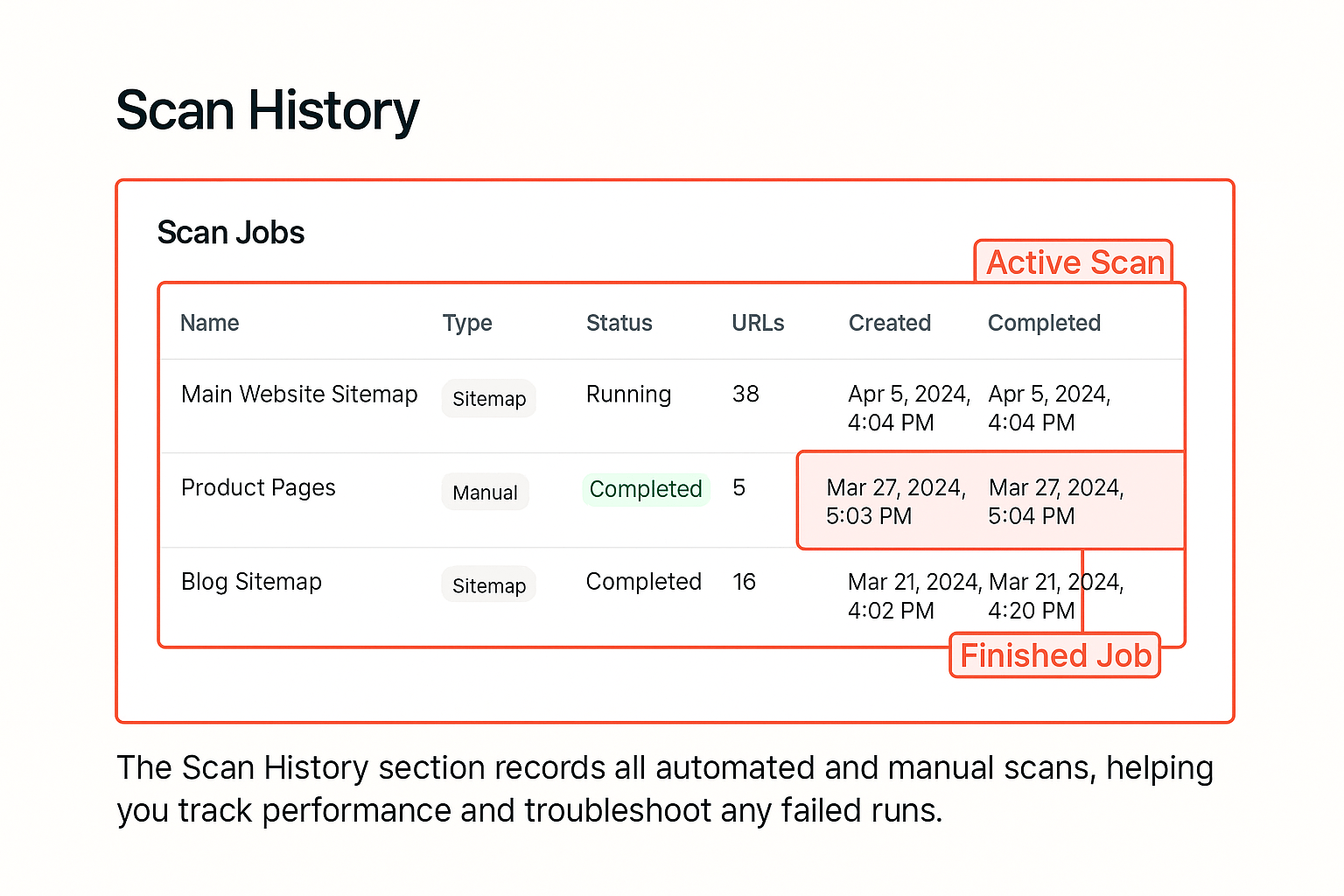
The Scan History panel displays all completed and ongoing scans, including manual and sitemap imports.
Details Displayed
Job Name
Type of scan: Manual, Sitemap Import, or System Auto (scheduled)
Success
Status
Current state: Completed, Running, or Failed
Created / Completed Time
Start and finish timestamps for tracking scan duration
URLs Processed
Total count of URLs included in that scan run
How to Use Scan History
1
Navigate to History
Click History from the sidebar menu to access the scan history panel.
2
Sort and filter
Sort by Date or Type to review previous runs. Use filters to show only specific scan types.
3
View scan details
Click any job row to view a detailed summary of the pages and formats generated during that scan.
Use this section to confirm that automated refreshes are occurring as expected and to troubleshoot any issues.
Audit Trail
Scan history serves as a complete audit trail of all generation activity. You can export this data for compliance or reporting purposes.
Performance Monitoring
Review scan duration trends over time to identify pages that take longer to process. This can help optimize your content structure for faster generation.
End of Section 3 Summary
After completing this section, you can:
- •Interpret and manage every URL's status and cadence
- •Manually trigger scans when necessary
- •Understand how Geordy queues and prioritizes tasks
- •Verify recent activity through the Scan History panel